

Imagine if some of your everyday tasks, which can add up to several hours each week, could be done for you automatically and for free. For example, think about automatically saving email attachments to Google Drive.
Work smarter, not harder
Let’s say you have a project and you’ve created a dedicated folder for it in Google Drive. A client you’re working with sends you an email containing an attachment—maybe images, a PDF, etc. Wouldn’t it be great if the attachment was automatically saved to the right folder, without you having to drag it there manually? That’s just a small glimpse of what make.com can do. With this clever tool, you can automate nearly all business processes and save a significant amount of time and money.
Practical example of automation
Below is an example scenario where multiple PDF attachments from emails are aggregated (grouped together). Using the ilovePDF module, they are merged into a single PDF file, which is then saved to Google Drive. The automation is connected to Gmail and checks every hour to see if a new email with an attachment has arrived. If so, based on a keyword found in the email, it triggers the automation.
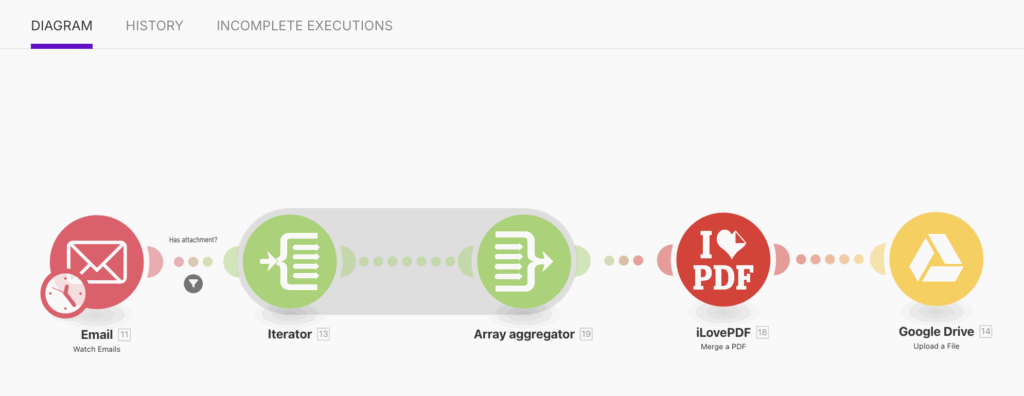
The make.com interface is designed to be straightforward, so even beginners can use it. Each automation run costs 1 credit, and additional credits are used for each step in the workflow. In the case of the scenario above, one automation would cost 5 credits. Each month, make.com provides 1,000 credits for free.
Do you have experience with automation? Share in the comments.